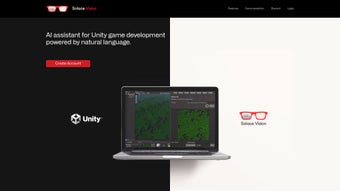

Download Solace Vision – AI‑Powered 3D Creation Tool for Unity Developers
Overview: Why Solace Vision Is a Game‑Changer for Unity Creators
Solace Vision is an AI‑driven, cloud‑based platform that transforms natural‑language prompts into fully‑featured 3D assets, 2D illustrations, Unity C# scripts, documentation, voice lines, and—soon—custom music tracks. The core idea is simple yet powerful: you type a description such as “a low‑poly sci‑fi spaceship with neon accents” and within seconds the service delivers a ready‑to‑import model, complete with textures, rigging, and even basic animation. By offloading heavy computation to encrypted servers, Solace Vision eliminates the need for local GPU farms while keeping proprietary data safe.
The tool is built around a set of “Text‑to‑X” modules—Text‑to‑Action, Text‑to‑Code, Text‑to‑Documentation, and more—that let developers automate repetitive Unity editor tasks, generate boilerplate code, and retrieve instant best‑practice advice without leaving the editor. Upcoming features like direct Text‑to‑3D mesh synthesis and royalty‑free sound generation promise to expand the platform from a productivity booster into a full‑stack content factory. Whether you are an indie hobbyist looking to prototype a game in a weekend or a studio seeking to scale asset production without hiring additional artists, Solace Vision delivers speed, flexibility, and security in a single, easy‑to‑use web interface.
Key Features That Redefine 3D Development Workflow
- Text‑to‑Action: Convert plain English commands into Unity editor operations, such as creating GameObjects, setting layers, or applying physics components.
- Text‑to‑Code: Generate clean, commented C# snippets on the fly, reducing boilerplate time and helping junior developers learn best practices.
- Text‑to‑Documentation: Ask contextual questions (“how do I optimize a NavMesh?”) and receive concise answers directly in the Unity window.
- AI‑Generated 2D Assets: Produce spritesheets, UI icons, concept art, and texture atlases without switching to external design tools.
- Text‑to‑Voice: Create dynamic dialogue lines or narrator voice‑overs, exported as high‑quality WAV files ready for audio mixers.
- Upcoming Text‑to‑3D: Directly synthesize high‑poly meshes with controllable topology, UV layout, and PBR materials from textual descriptions.
- Upcoming Text‑to‑Music: Generate royalty‑free sound effects and adaptive music loops tailored to gameplay moments.
- Secure Cloud Processing: All AI workloads run in TLS‑encrypted containers, ensuring that assets never leave a protected environment.
- Versioned Asset Library: Automatic version control stores every generated asset, enabling easy rollback and team collaboration.
- Export & Integration Hooks: One‑click export to Unity packages, FBX, OBJ, PNG, WAV, or use webhooks to trigger CI/CD pipelines.
Installation, Setup, and Cross‑Platform Usage Guide
Because Solace Vision is a SaaS solution, there is no traditional installation for the core engine. All you need is a modern web browser (Chrome, Edge, Firefox, or Safari) and an internet connection. The platform adapts to desktops, tablets, and high‑resolution smartphones, allowing you to brainstorm on the move.
Step‑by‑Step Onboarding Process
- Create an account: Visit solacevision.com/signup, enter your name, email, and a strong password, or sign in with Google/GitHub for instant access.
- Select a plan: The free tier grants 10 text‑to‑asset conversions per month and basic 2D generation. Paid plans unlock unlimited usage, higher‑resolution outputs, priority GPU processing, and early access to beta features.
- Install the Unity connector (optional): From your dashboard, download the Solace Vision Unity package. In Unity, go to Assets → Import Package → Custom Package and select the downloaded file. This adds a “Solace Vision” menu under the Window tab.
- Configure API credentials: After importing, open Window → Solace Vision → Settings and paste the API key shown on your account page. The key authenticates your local editor with the cloud service.
- Start generating: Open the Solace Vision panel, type a prompt like “a medieval sword with a glowing rune,” and click “Generate.” The asset appears in your Project folder and can be dragged directly into the scene.
Supported Operating Systems: Since processing occurs in the browser, Solace Vision works on Windows 10/11, macOS 12+, and major Linux distributions. The optional Unity package is compatible with Unity 2020 LTS and newer, regardless of host OS.
Pros, Cons, Frequently Asked Questions, and Final Verdict
Pros
- Accelerates asset creation from hours to minutes, dramatically shortening prototyping cycles.
- Reduces reliance on specialized 3D modeling expertise, opening development to broader teams.
- Seamless Unity integration via a lightweight editor plugin keeps the workflow tight.
- Secure, encrypted cloud processing safeguards intellectual property.
- Extensible API enables automation in CI/CD pipelines and custom tooling.
- Generous free tier allows risk‑free evaluation of core capabilities.
Cons
- Requires a stable internet connection; offline generation is not currently supported.
- High‑resolution assets and priority GPU time are locked behind paid plans.
- AI‑generated geometry may need manual cleanup for production‑grade polish.
- Beta features (Text‑to‑3D, Text‑to‑Music) can produce inconsistent results.
- Effective prompt engineering has a learning curve; vague prompts can yield unexpected assets.
Frequently Asked Questions
Is there a truly free version of Solace Vision?
Yes. The free tier provides up to 10 text‑to‑asset conversions per month, access to basic 2D generation, and community support. All core features are available; only high‑resolution exports and unlimited usage require a paid subscription.
Can I use Solace Vision without a Unity license?
Absolutely. The web app works independently of Unity. Generated assets can be downloaded as FBX, OBJ, PNG, or WAV files and imported into any engine or 3D software you prefer.
How secure is my proprietary content on the platform?
All data transmission uses TLS 1.3 encryption. Assets are stored in isolated containers and automatically purged after 30 days unless you save them to your personal library. No third‑party access is granted.
Which browsers are officially supported?
The platform is optimized for the latest versions of Chrome, Edge, Firefox, and Safari. Mobile browsers are supported for 2D generation, but complex 3D synthesis works best on desktop browsers with a stable connection.
Will the Unity connector stay compatible with future Unity releases?
The Unity package follows semantic versioning and receives quarterly updates to maintain compatibility with new Unity releases. Users are notified via the dashboard when a new package version is available.
Conclusion & Call to Action
In a development landscape where speed, creativity, and security are non‑negotiable, Solace Vision stands out as a truly transformative AI assistant for Unity creators. By turning simple text into ready‑to‑use assets, scripts, and documentation, it eliminates the repetitive grunt work that traditionally slows pipelines. The cloud‑first architecture guarantees cross‑platform access—Windows, macOS, or Linux—while the optional Unity plugin keeps the workflow tight and intuitive. Whether you are an indie developer on a shoestring budget or a studio looking to scale content production without expanding your art team, the free tier offers a compelling taste, and the premium plans deliver enterprise‑grade performance and support. Don’t let conventional modeling bottlenecks hold your project back—download Solace Vision today, unleash AI‑driven creation, and watch your game ideas materialize in seconds.



.png)



